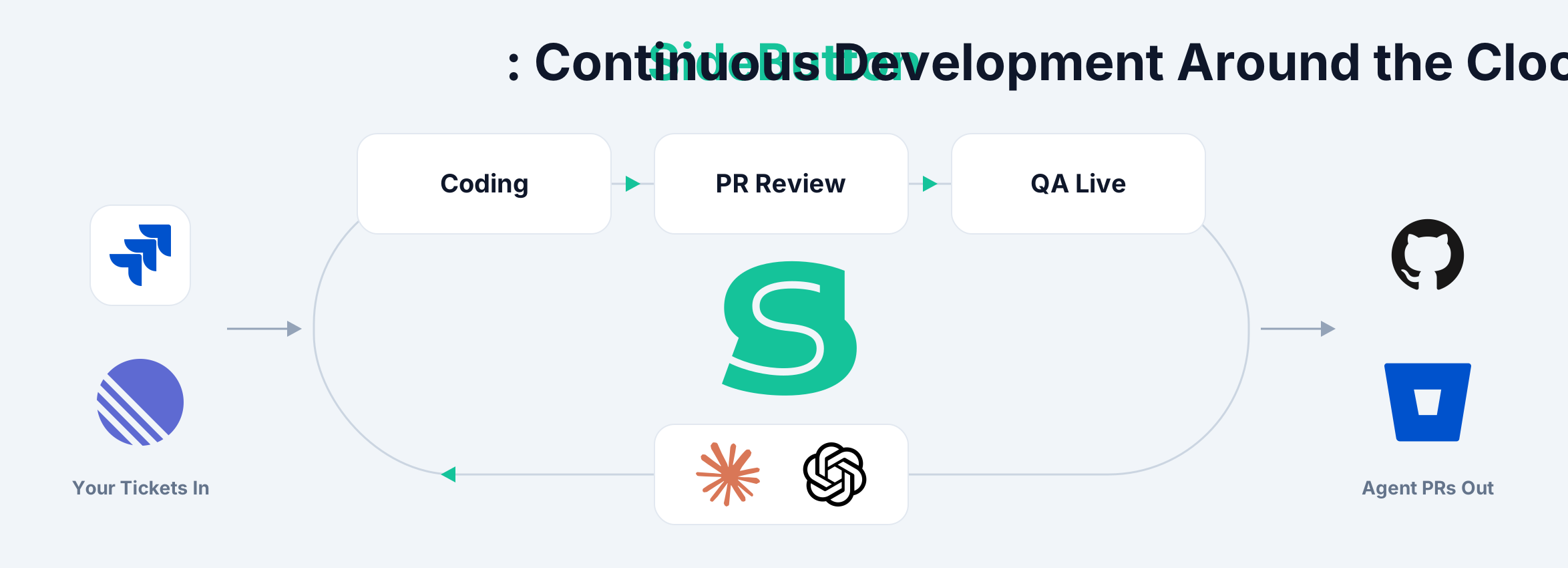
Release
SideButton: Open Source AI Agent Platform
The open-source AI agent platform, now at v1.5. MCP server, workflow engine, knowledge packs, and plugins: from AI code review to full agentic workflows, all running on your machine.
The open-source AI agent platform, now at v1.5. MCP server, workflow engine, knowledge packs, and plugins: from AI code review to full agentic workflows, all running on your machine.
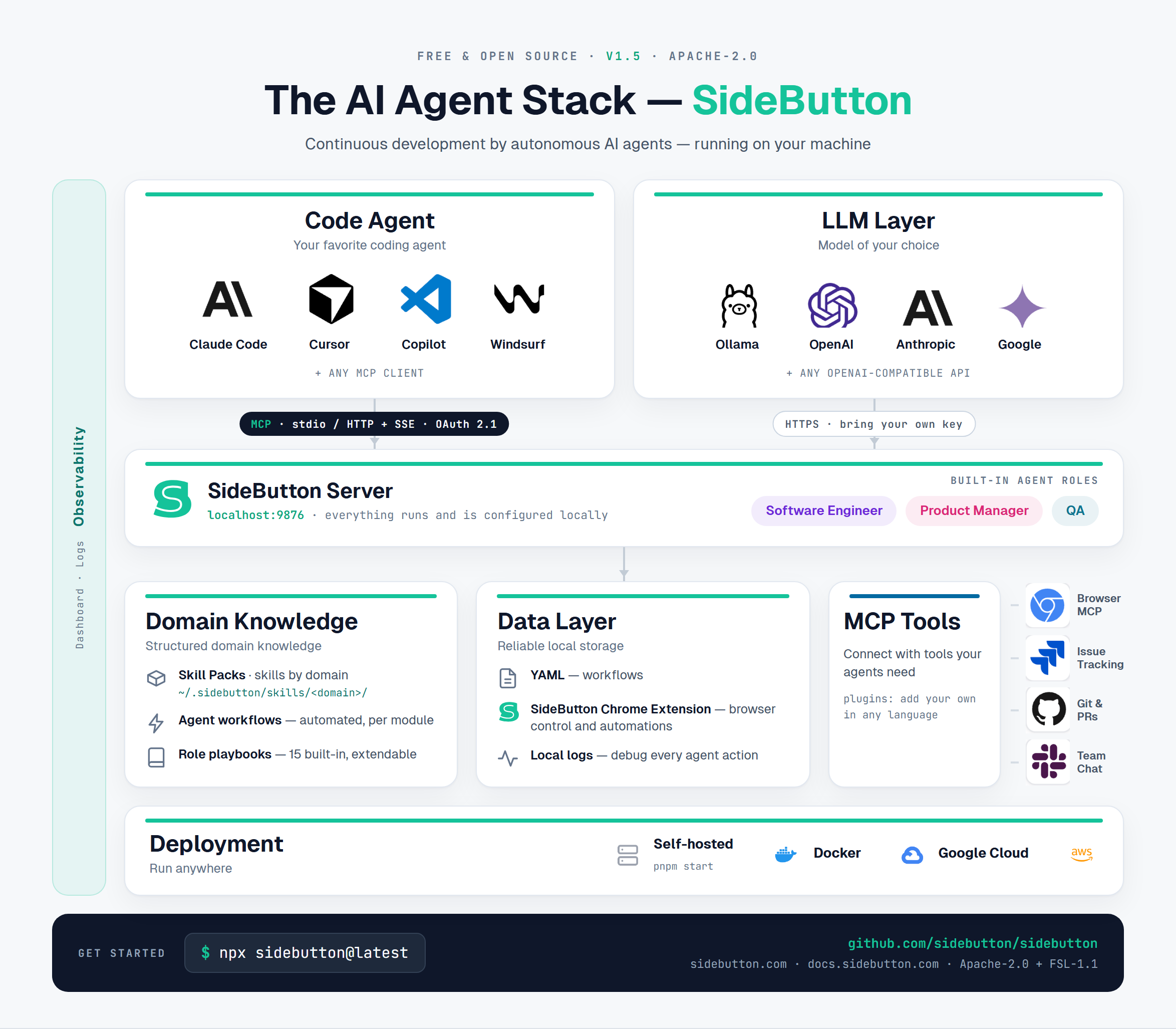
SideButton is an open-source AI agent platform and MCP server. It provides AI agent tools for the full lifecycle: browser control, workflow automation, knowledge packs, and plugins.
Use SideButton for AI code review, automated testing, ticket triage, or any task that needs browser context. Tracker and chat steps work across Jira, Linear, GitHub, and Slack. The provider is auto-detected from your environment.
sidebutton registry add, or create your own. Installed packs live in ~/.sidebutton/skills/. Learn how to create a skill pack.Everything runs and is configured locally: your browser, your sessions, your API keys.
Knowledge packs (skill packs) are simple markdown files, easy to manage and extend. Create a new pack by asking Claude to capture knowledge from your current session, or scaffold one with sidebutton init and share it through a registry: a local folder or a git repo. Installed packs live in ~/.sidebutton/skills/ and load on startup. Workflows, roles, and domain targets merge with your local configuration. Knowledge packs power enterprise AI agents across teams and projects. Browse available skills or create a skill for agentic AI.
Extend the MCP server with custom tools in any language. A plugin is a folder with a manifest and a handler script in ~/.sidebutton/plugins/, loaded on startup next to the built-in tools. SideButton ships with two: screen-record (capture agent sessions to MP4) and writing-quality (score content before it goes out). Read the plugin guide.
Found a bug or have a feature request? Submit an issue on GitHub or use the Report Bug button at sidebutton.com.
The platform is stable and production-ready. What we're building next: